A precise design solution for Silhouette cutting machines
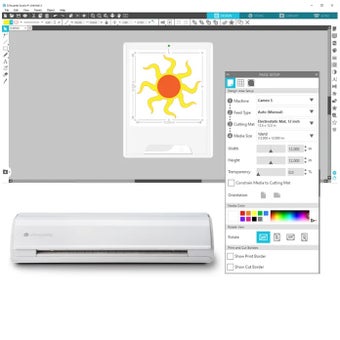
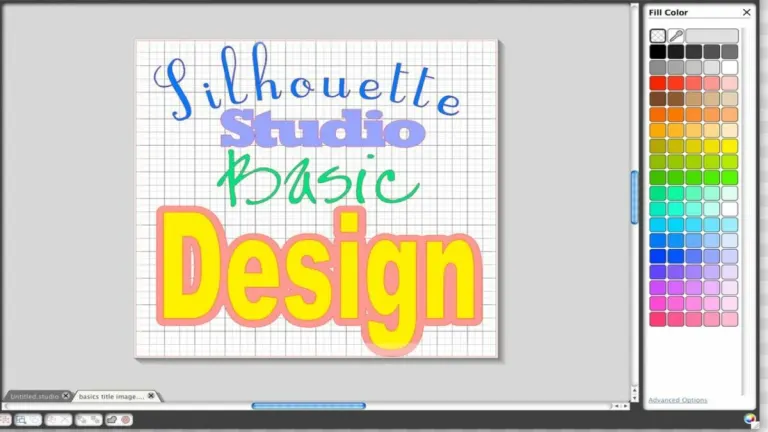
Silhouette Studio, developed by Silhouette America, Inc., is a design software created for use with Silhouette cutting machines. It allows users to create detailed designs, customize templates, and prepare files with exacting precision. The program supports crafting, scrapbooking, and business applications by providing tools that help users translate their creative ideas into precise cuts. This software offers a range of features suitable for both casual and professional users within the Silhouette ecosystem.
Top Recommended Alternative
Designed for precision and creative flexibility
Silhouette Studio specializes in helping users build intricate designs from scratch or by modifying existing templates. It includes a variety of drawing tools and text editing capabilities, enabling users to adjust every element of their projects. The software supports multiple file formats such as STUDIO, JPG, and PNG files, which allows for smooth integration with other design workflows. This combination of tools provides creative flexibility for both beginners and experienced designers, enabling accurate preparation and execution of cutting projects.
It is important to note that while users can design offline, the Silhouette Library often requires an active internet connection to sync or re-index, which can be difficult for users in remote areas. Additionally, tools such as SVG import, Rhinestone tools, and layers require a one-time paid license, which limits functionality in the free trial version of the software.
Control and customization for accurate cutting
The program offers standard path-based cutting controls, including blade settings, ensuring that each cut matches the design specifications precisely. Silhouette Studio includes a robust library of pre-designed images and shapes, giving users options to start projects quickly or add creative elements without designing everything from the ground up.
A core feature in the software is its Offset Tool, which allows users to create an expanded or contracted shadow or halo around any object or text. Users can also choose between rounded or cornered offsets to maintain specific aesthetics to the original design.
Focused and practical for Silhouette users
Silhouette Studio delivers a comprehensive and precise design environment tailored to Silhouette cutting machines. It combines detailed design capabilities, template customization, and cutting parameter adjustments in one package. The proprietary design and machine-control suite is a design program that allows users to create complex geometry from scratch on their devices.